

May 13, 2026·1 min read

A Workspace in EasyEnv is an ephemeral, on-demand environment where you can instantly spin up real infrastructure and tools to experiment, develop, test, or learn without installing anything locally or managing long-term resources.
Think of a workspace as a temporary playground made of building blocks called recipes. Each recipe represents a real tool or service, such as:
Kubernetes clusters
Programming environments (Python, Java, Node.js, etc.)
Databases (Postgres, MySQL, Redis, MinIO, and more)
CI/CD tools (Jenkins, Git servers, Docker, registries)
And hundreds of other tools you can mix and match
You can start from a pre-made template (like a CI/CD pipeline or Kubernetes lab) or customize everything yourself by combining the exact tools you need.
Ephemeral by design – Workspaces live only for the duration you choose and are automatically cleaned up.
Real infrastructure – You’re not using simulations; you’re working with actual tools and services.
Composable – Mix multiple recipes together into one cohesive environment.
Collaborative – Invite teammates with different permission levels.
Fast – Go from idea to a running environment in minutes.
Whether you need a short-lived dev setup, a training lab, a demo environment, or a safe place to experiment, EasyEnv Workspaces let you focus on building and learning — not setup and cleanup.
Then your existing section can follow naturally:
Follow these steps to start your Ephemeral environment.
You can start in two ways:
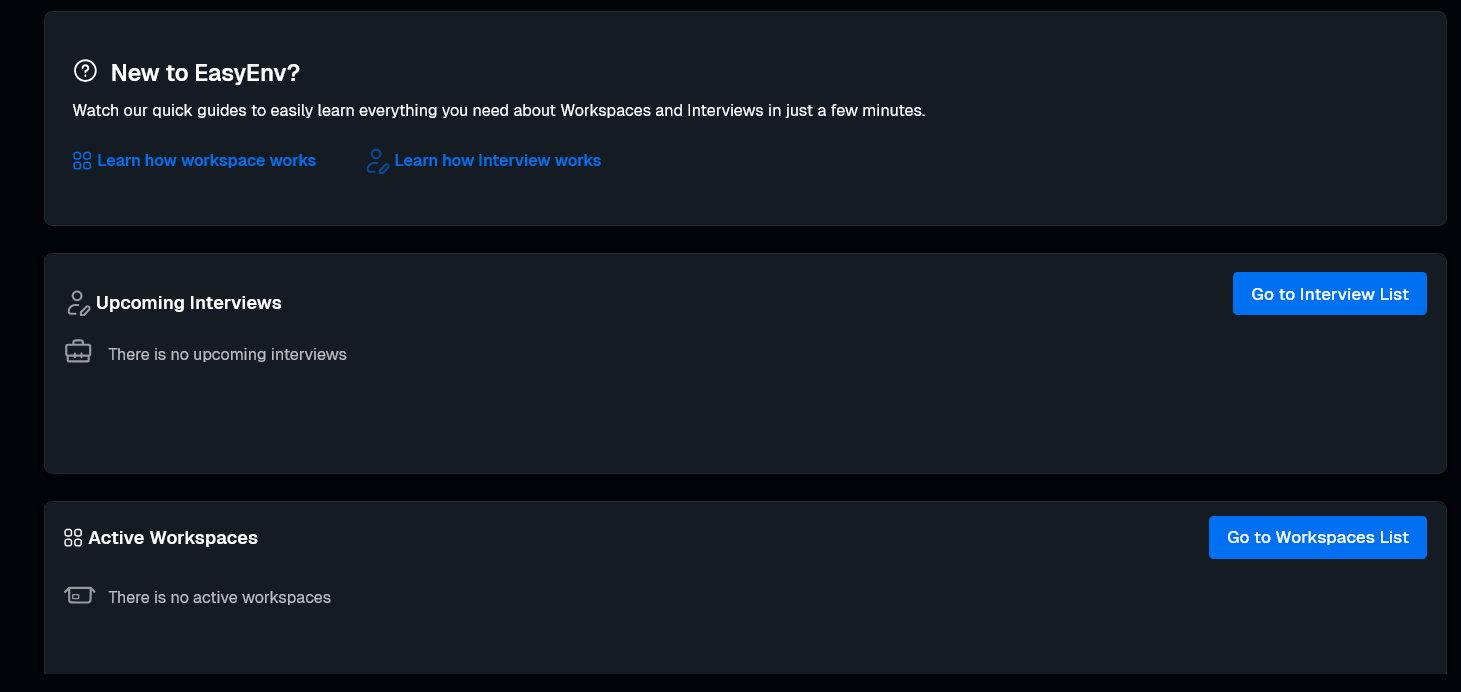
Option A: Click the blue Go to Workspaces List button on your dashboard.
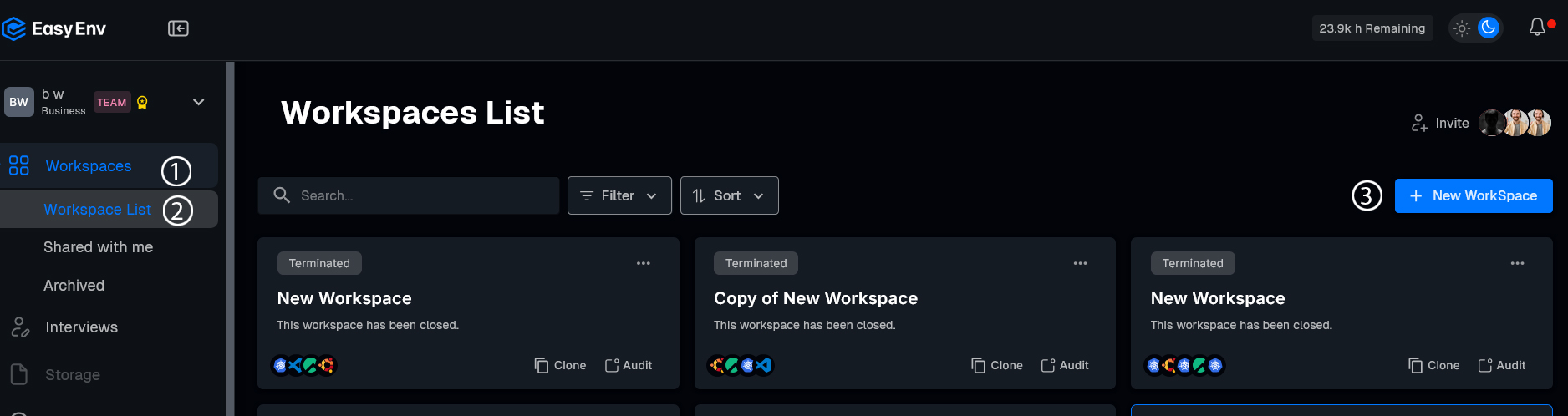
Option B: Click Workspaces (1) in the left menu, then select Workspace List (2)
Once there, click the + New Workspace (3) button.
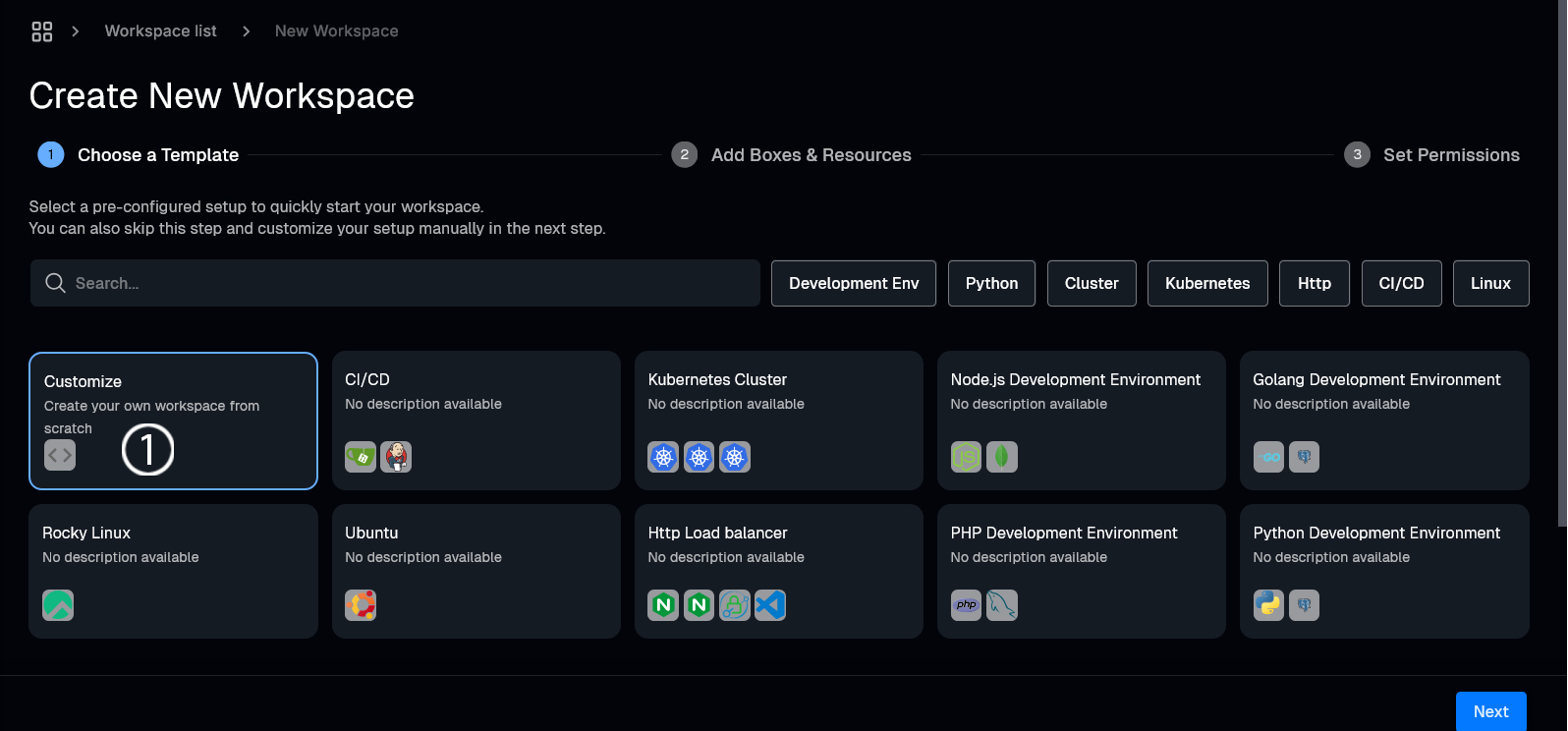
Select a setup like CI/CD, Kubernetes Cluster, or Customize (1) to build your own.
 3. Add Box and resources
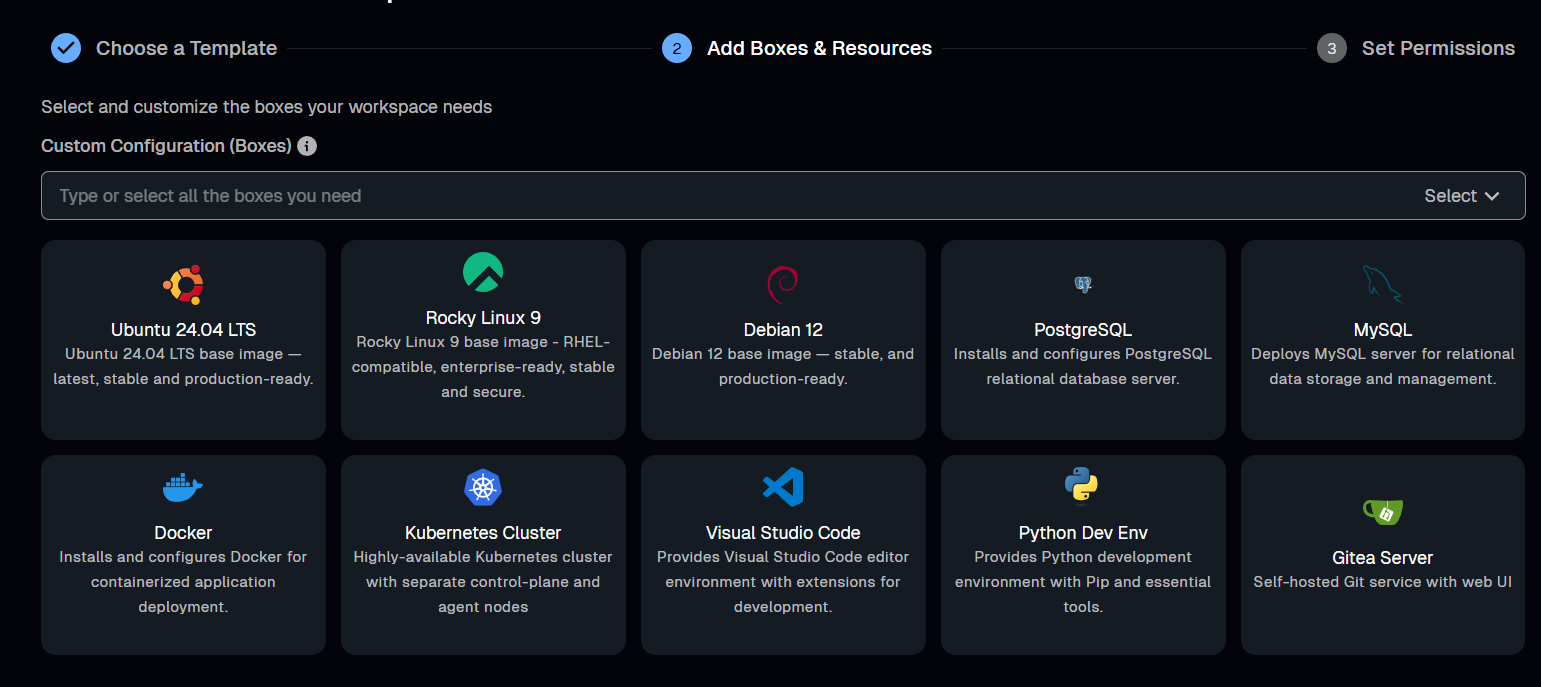
Click Add Boxes & Resources. Use the search bar to find specific tools (like "Java" or "MinIO") or check the boxes for the listed resources.
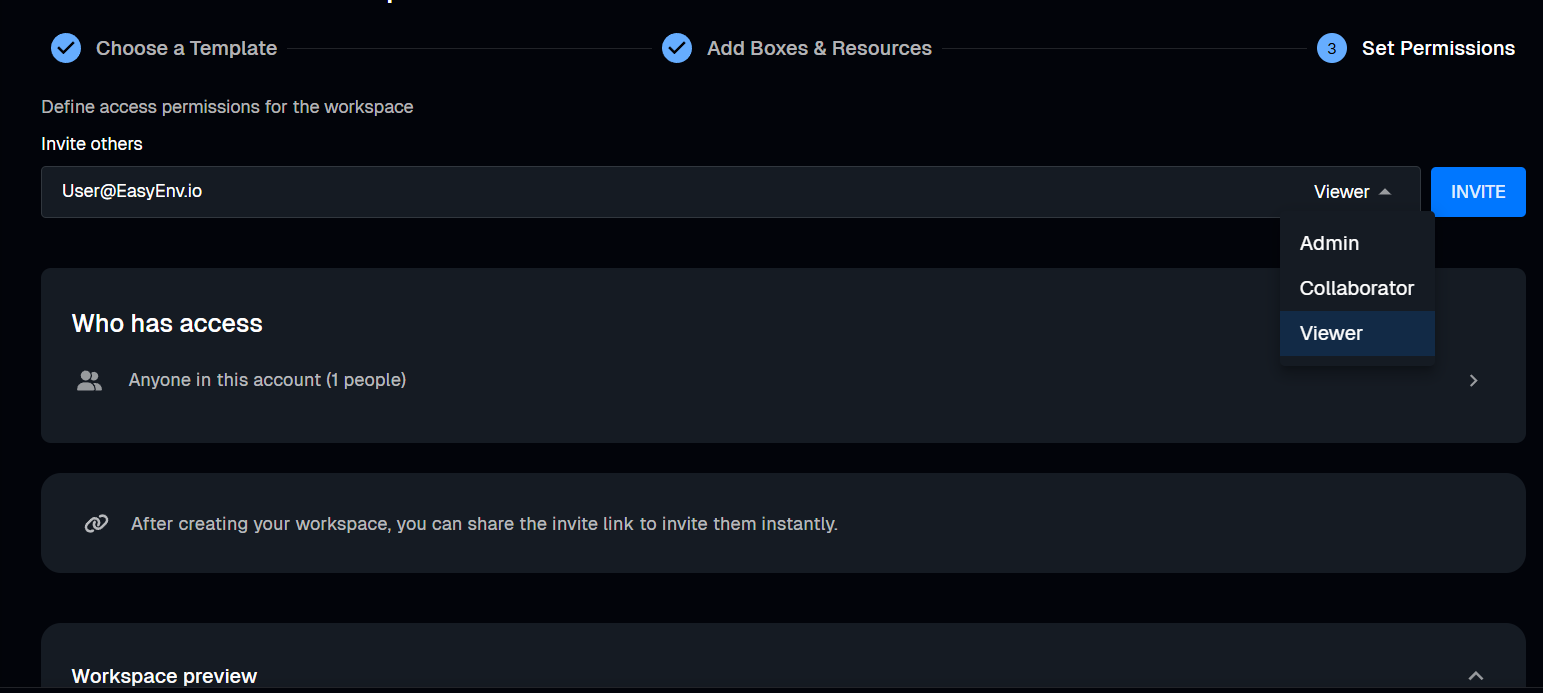
Click Set Permissions. Type an email and choose a role:
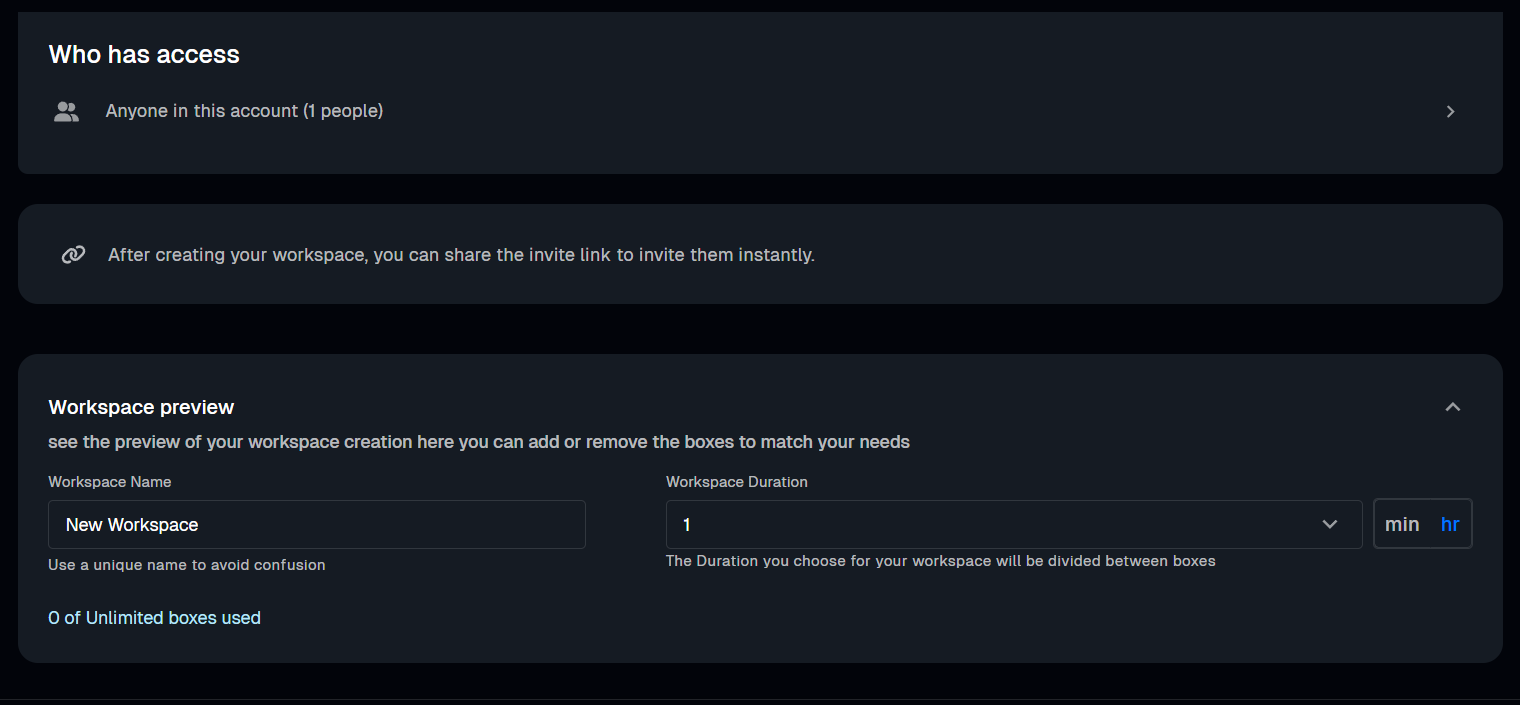
Type a Name and choose a Duration. Click Create.
Find your Workspace and click Start (▶). When it says Running, click Console.
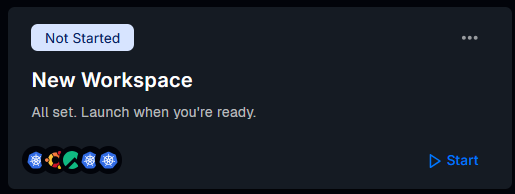
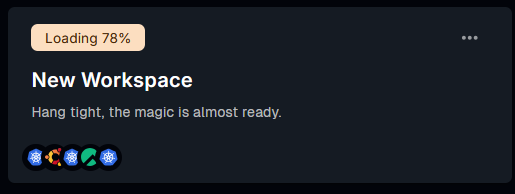
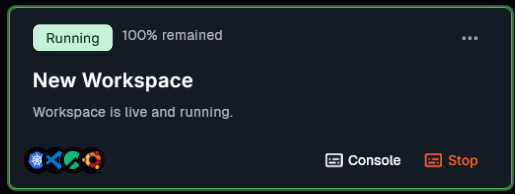
That's it! Your workspace is now ready to use
Run live coding sessions and take-home challenges in real production environments. Watch sessions back, score consistently, and hire with confidence.
More posts you might like
The "First-Day Trap" is the delay between hiring a specialist and getting real work done. EasyEnv closes this gap by providing a ready-to-use, standardized environment, removing the setup barrier to ensure better IT ROI from the first hour.
Ditch whiteboards for real world scenarios using EasyEnv sandboxes. Test candidates with day one tasks like hunting memory leaks and speeding up SQL queries in a zero risk environment that matches your stack. Protect your production systems while grabbing the best talent through hands on technical tests.
Read more
Move beyond memorized answers. Easyenv redefines hiring by focusing on critical thinking, soft skills, and effective AI usage to find the talent that truly matters.
Read more