
October 23, 2026·5 min read

In EasyEnv, a test is created for a specific job role (for example, Software Engineer, Site Reliability Engineer, or Data Analyst).
Each test contains a set of questions designed to evaluate candidates for that role.
Once the test is ready, you assign candidates to it.
👉 Every time you add a candidate to a test, it becomes an interview.
So in short:
Follow these steps to build a test in EasyEnv.
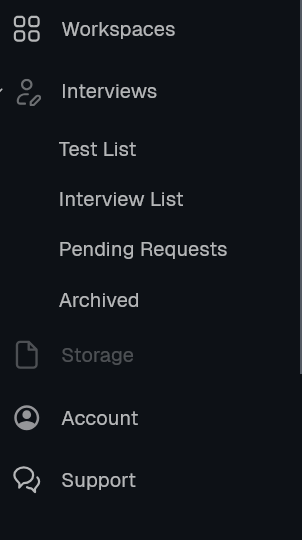
In the left menu, click Interviews, then Test List.
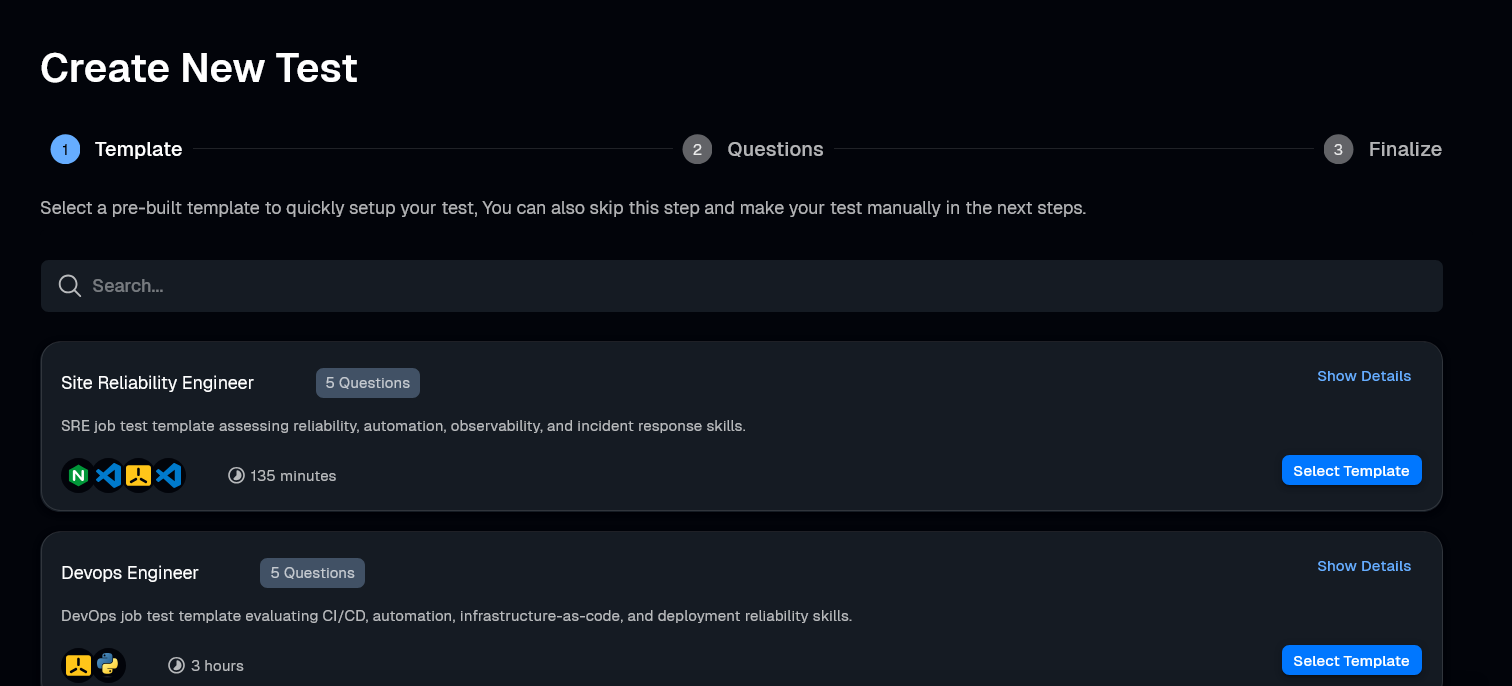
Click the blue Create New Test button.

Select a template (like Site Reliability Engineer) to start with pre-selected questions. You can add more questions to this list in the next step.
In the Questions step, you can mix and match three different ways to add questions:
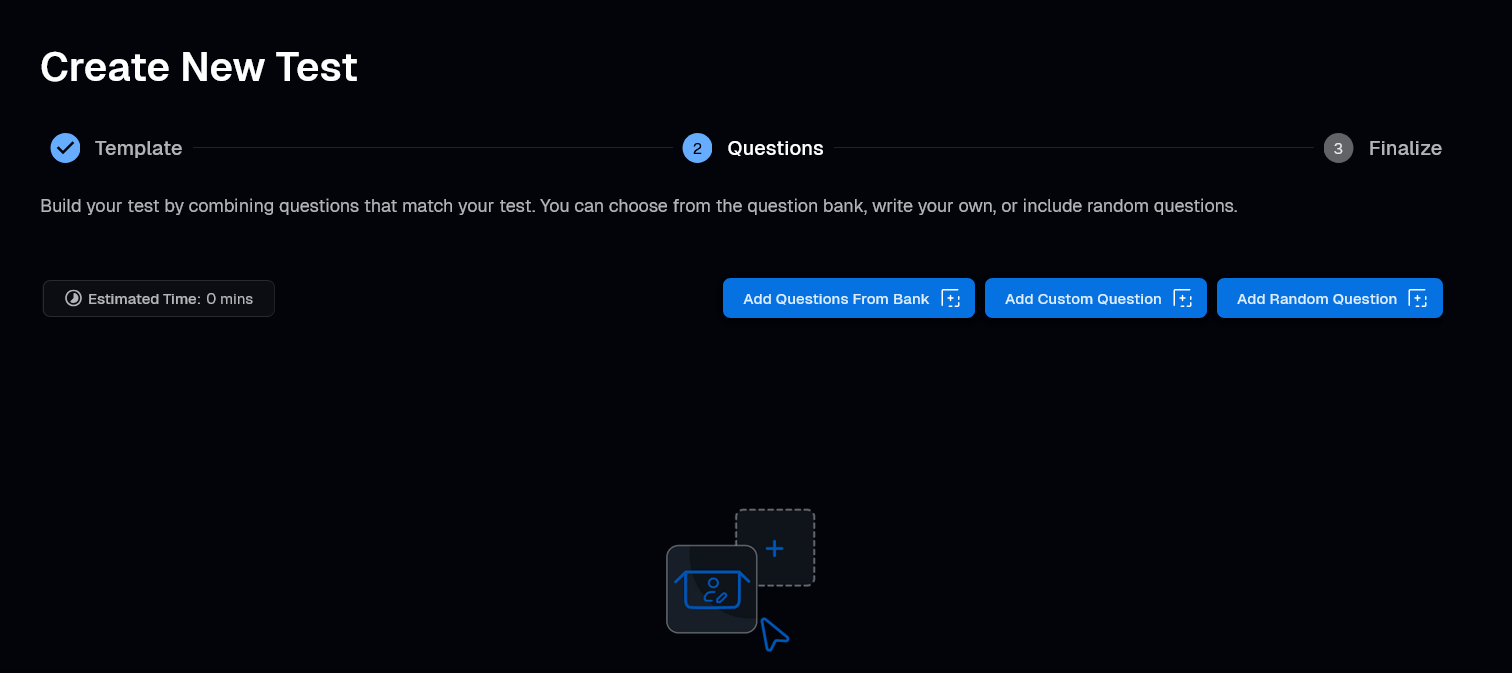
Click Add Questions From Bank to select specific questions.
Use the filters: Library, Type, Difficulty, and Time.
Check the boxes for the questions you want.
Click Add.

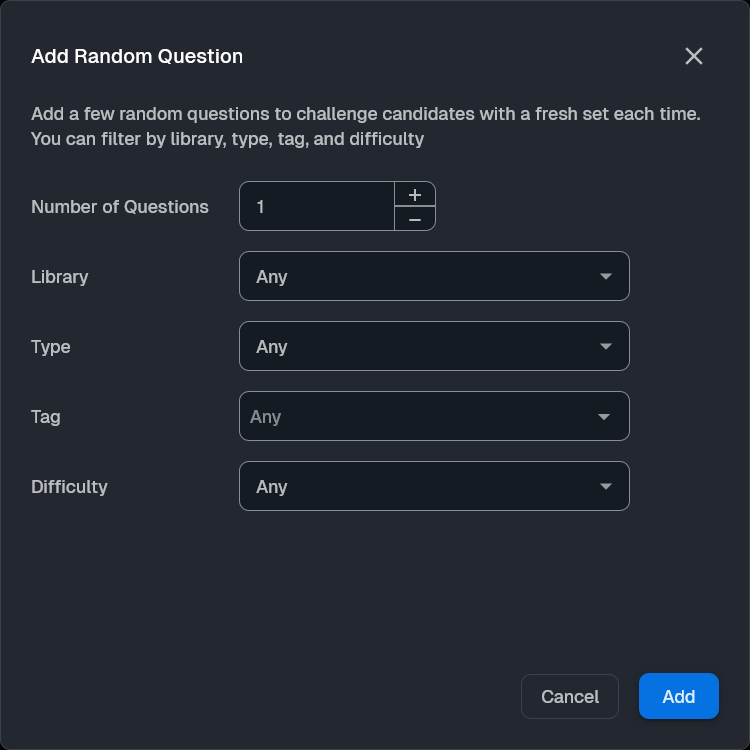
Click Add Random Question to let the system pick for you.
Enter the Number of Questions (e.g., 3).
Set filters like Type, Tag, or Difficulty (e.g., "Hard").
Click Add.
2. 
Click Add Custom Question to create a new question from scratch.
[Read the full guide on creating custom questions here]
In the last step, enter the test details:
Test Name: Give your test a title.
Test Duration: Set the time limit.
Description: Add a short description.
Job Details (Optional): Add Job Title and Job Location.
Publish: Check Publish in easyenv hire to make it public, or Auto approve to automatically create interviews for applicants.
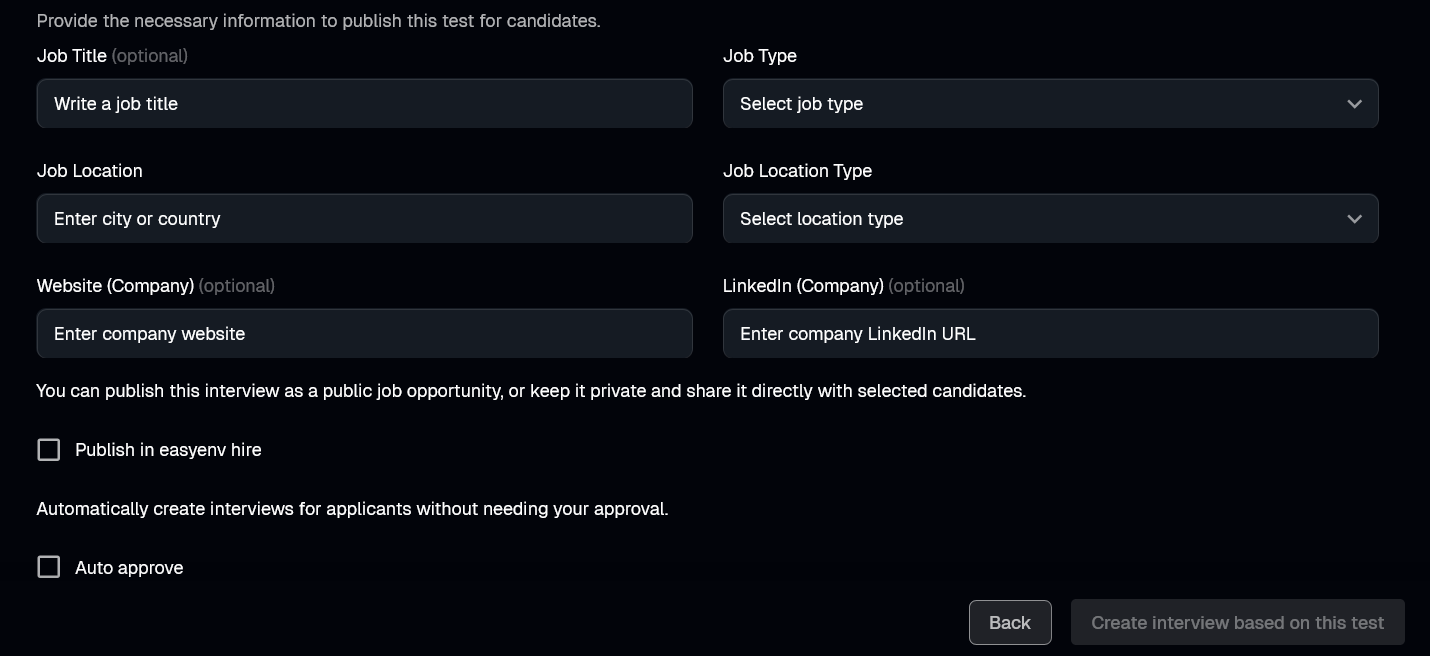
Click Create to finish.
Run live coding sessions and take-home challenges in real production environments. Watch sessions back, score consistently, and hire with confidence.
More posts you might like
A week inside the team answers nearly everything an interview is guessing at, and rules out most of the people worth hiring. Here is when a trial earns its cost, how to structure one that is fair, and what to run instead when it is the wrong tool.

Contract hiring skips the loop, which is the point, and then the work arrives and nobody can say whether it will survive the handover. Here is a single session that tests what actually matters for short engagements, and the four things to watch while it runs.
Read more
Support interviews test warmth and scripts, then the job turns out to be technical from the first ticket. Here are four tasks on a real box with a real symptom, reproducing a vague report, separating configuration from defect, reading the logs that matter, and writing the reply.
Read more
