
October 22, 2026·4 min read

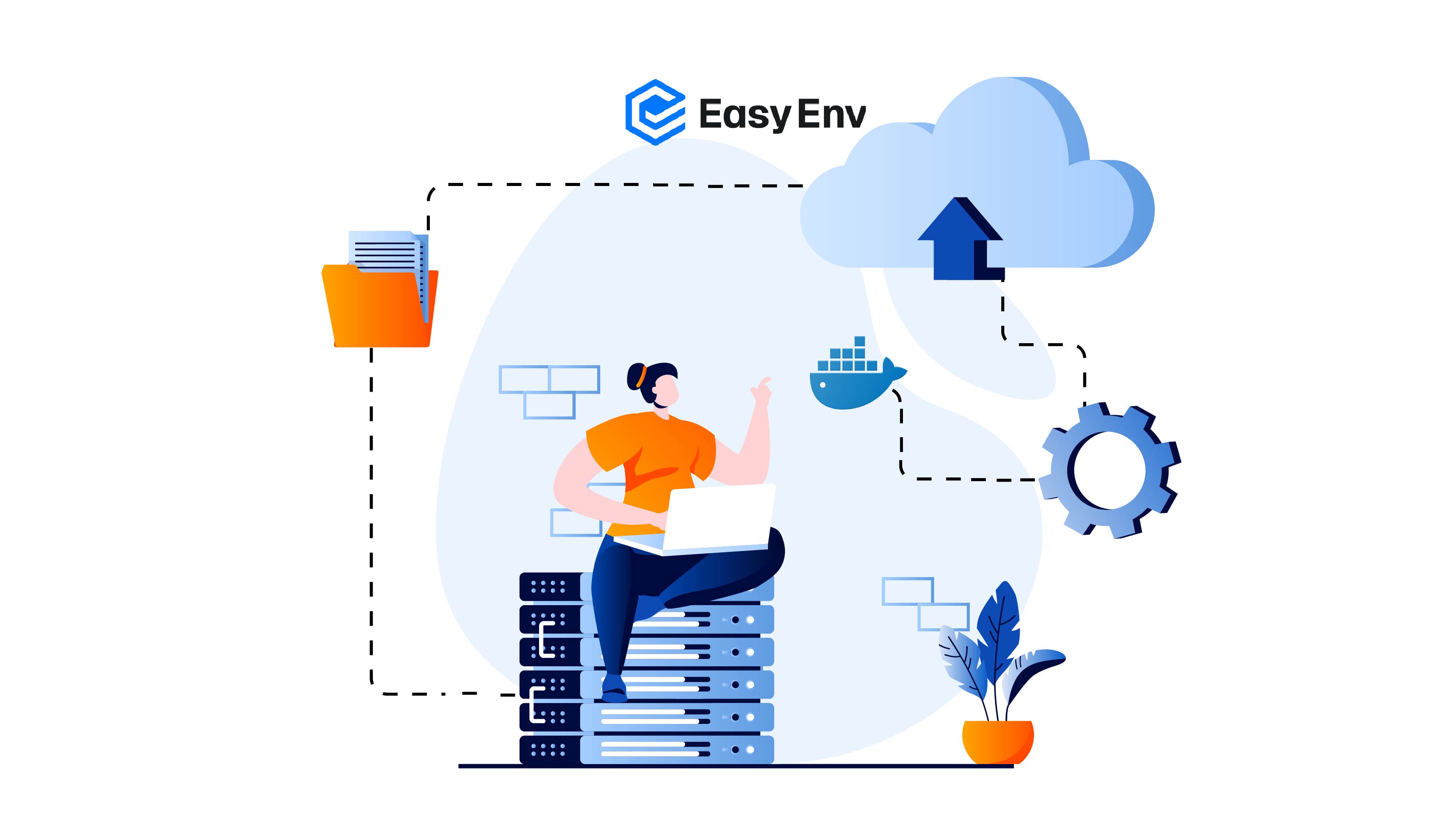
What is Docker?
Before Docker, moving your code to a server was a nightmare.
Imagine you are trying to ship three things in the same truck: a delicate piano, a heavy iron safe, and a sack of coffee beans. If you just throw them all in together without protection, the safe will crush the piano, and the piano will smash the coffee. It is a mess.
This is exactly what happens with software.
You write code on your laptop. It works perfectly because you have everything set up just right (the right settings, the right files). But when you send that code to a server, it crashes.
Why? Because the server is different. Maybe it has an older version of Python, or it is missing a specific file. Your code fits your laptop, but it doesn't fit the server.
This is the famous "But it works on my machine!" problem. Docker fixes this by putting your code in a "box" so it works everywhere.
How Docker helps
The global shipping industry solved this problem in the 1950s with the Intermodal Shipping Container.
Docker is that container for software.
It wraps your application and everything it needs (code, libraries, OS files, settings) into one standardized box.
To understand why Docker is special, we need to understand how computers actually work.
What is the Kernel?
Your operating system (Windows, macOS, Linux) has two main parts:
Think of it like a restaurant:
When you run an application, it does not talk directly to the hardware. It asks the Kernel, "Please give me memory" or "Please read this file." The Kernel handles it.
Virtual Machines (VMs) = Building a Second House
A Virtual Machine is like building a complete guest house in your backyard.
Inside the VM is a full copy of everything that makes a computer a computer. It is like buying a second house just to have a second kitchen.
Docker Containers = Setting Up a Tent in Your Backyard
A Docker Container is much smarter. It is like setting up a tent in your backyard.
When your application inside the container needs something from the hardware, it asks the Host's Kernel, not its own Kernel. This is why containers are so fast to start (milliseconds) and use so little memory.
The Key Difference:
This is why Docker is revolutionary. You get the isolation (the tent is private) without the weight (you do not need your own electrical system).
An Image is a read-only file. It contains the instructions on how to create the app.
A Container is the result of running an image.
Docker Hub is the world's largest library of recipe cards.
When you type docker pull, you are asking Docker to go to this supermarket (Docker Hub) and bring a copy of the recipe card to your computer.
Start Docker in EasyEnv Environment
Instead of dealing with a complicated setup or installing software on your own computer, you can simply use EasyEnv.io. It is ready to go instantly.
To start your environment, follow these steps:
Start a New Workspace
You can start in two ways:
Once there, click the + New Workspace button.
Add Box and resources
Click Add Boxes & Resources. Use the search bar to find "Docker" or check the boxes for the listed resources.
Finish
Type a Name and choose a Duration. Click Create.
Run
Find your Workspace and click Start (▶). When it says Running, click Console.
That's it! Your workspace is now ready to use.
Now your EasyEnv workspace is live. Let's learn the commands that control Docker.
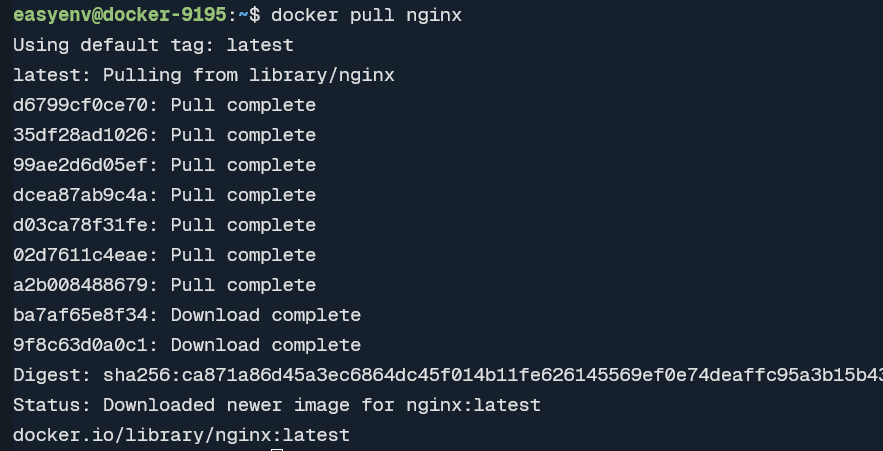
What it does: Downloads an image from Docker Hub to your workspace.
Command:
docker pull nginx
Result: You now have the recipe. Nothing is cooking yet.
Tip: You can ask for a specific version:
docker pull nginx:1.23
(Get the 1.23 version of the recipe)
What it does: Shows a list of all images you have saved on your workspace.
Command:
docker images
Result: You see a list with:
REPOSITORY: The name (e.g., "nginx")

What it does: Takes an image and creates a running container.
Command:
docker run -d -p 8080:80 --name my-web nginx
Technical:
nginx: The recipe to use.
-p 8080:80 (Port Mapping): This is the service window.
Port 80 is the counter inside the tent.
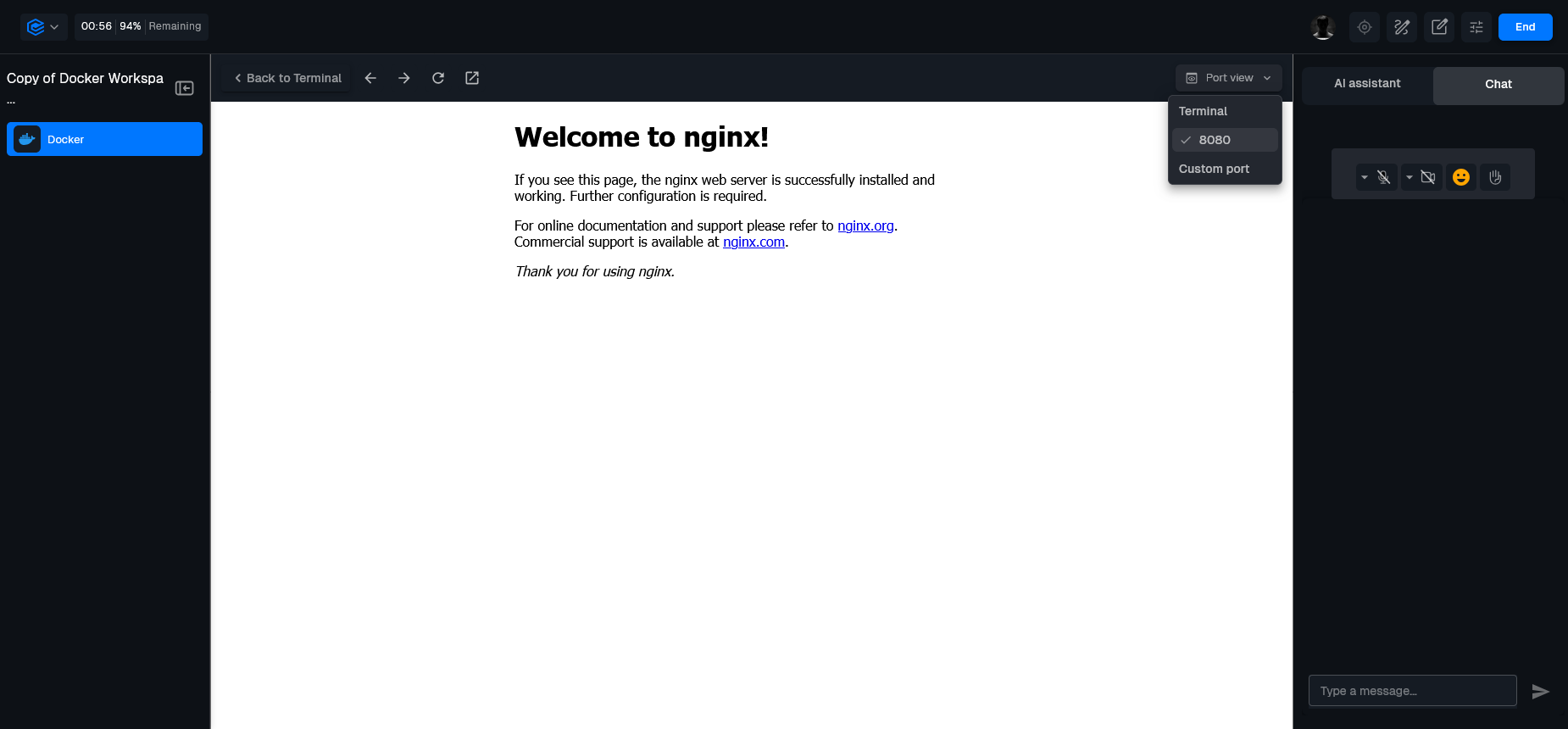
 - How to see your website:
- Click Port view (top right of the terminal).
- Click Custom view.
- Type 8080 and click Open.
- You will now see the "Welcome to nginx!" page.
- How to see your website:
- Click Port view (top right of the terminal).
- Click Custom view.
- Type 8080 and click Open.
- You will now see the "Welcome to nginx!" page.
What it does: Shows a list of all currently running containers.
Command:
docker ps
Result: You see a list showing:
CONTAINER ID: Unique ID

What it does: Shows a list of all containers, including stopped ones.
Command: docker ps -a - Analogy: You look at the backyard. You see the standing tents, but you also see the piles of canvas where tents used to be (stopped containers). - Result: Shows everything. This is important because a "stopped" container still takes up space.
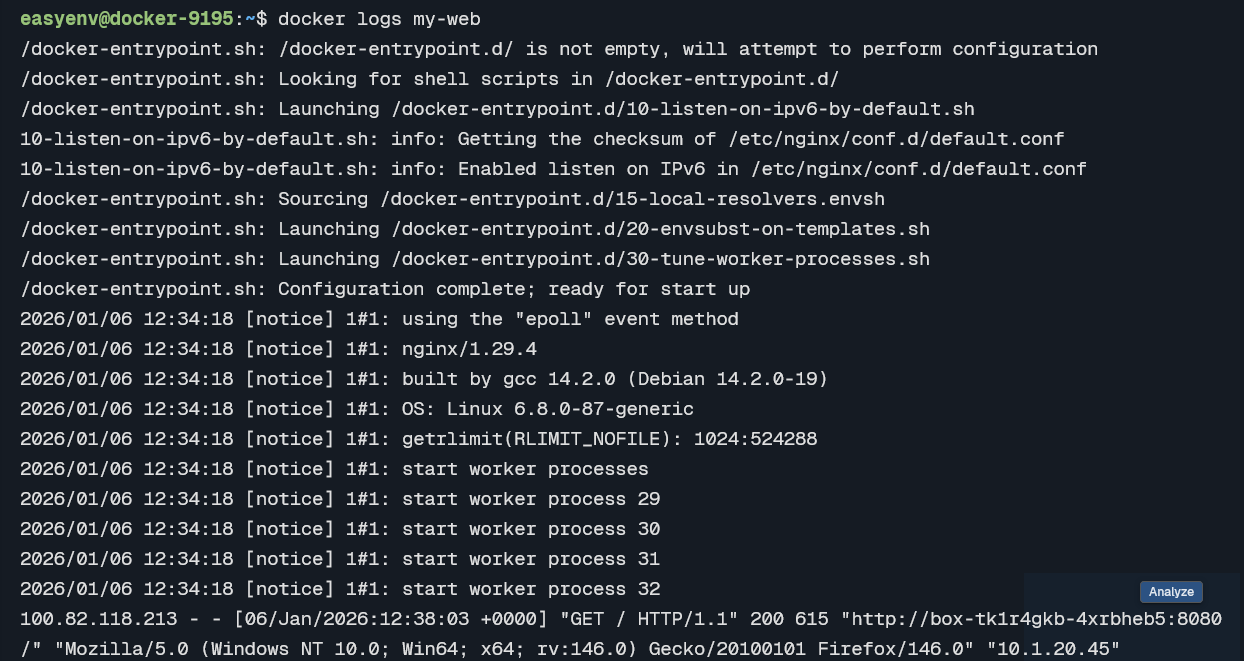
What it does: Shows messages the container has printed.
Command:
docker logs my-web
What it does: Runs a command inside a running container.
Command:
docker exec -it my-web bash
What it does: Shows detailed technical info about a container.
Command:
docker inspect my-web
What it does: Stops a running container gracefully.
Command:
docker stop my-web
What it does: Restarts a stopped container.
Command:
docker start my-web
What it does: Permanently deletes a container.
Command:
docker rm my-web
What it does: Deletes an image.
Command:
docker rmi nginx
Pre-configured Linux boxes, VS Code in the browser, and shared workspaces your team can join in one click. No more "works on my machine".
More posts you might like
Slides and a shared staging cluster produce a team that still pages the one person who knows. People learn infrastructure by breaking it, which needs a cluster each. Here are five drills worth running and how to make them cheap enough to repeat.
Every engineer you hire proves they can work in a real environment. Nobody ever asks the people already there. Here is how to run an internal skills check that produces a training plan from evidence, finds your bus factor, and does not feel like an exam.
Read more
Contractors bill from day one but often cannot commit until week two, thanks to laptop setup and access sprawl. Ephemeral environments collapse that gap to an afternoon.
Read more
